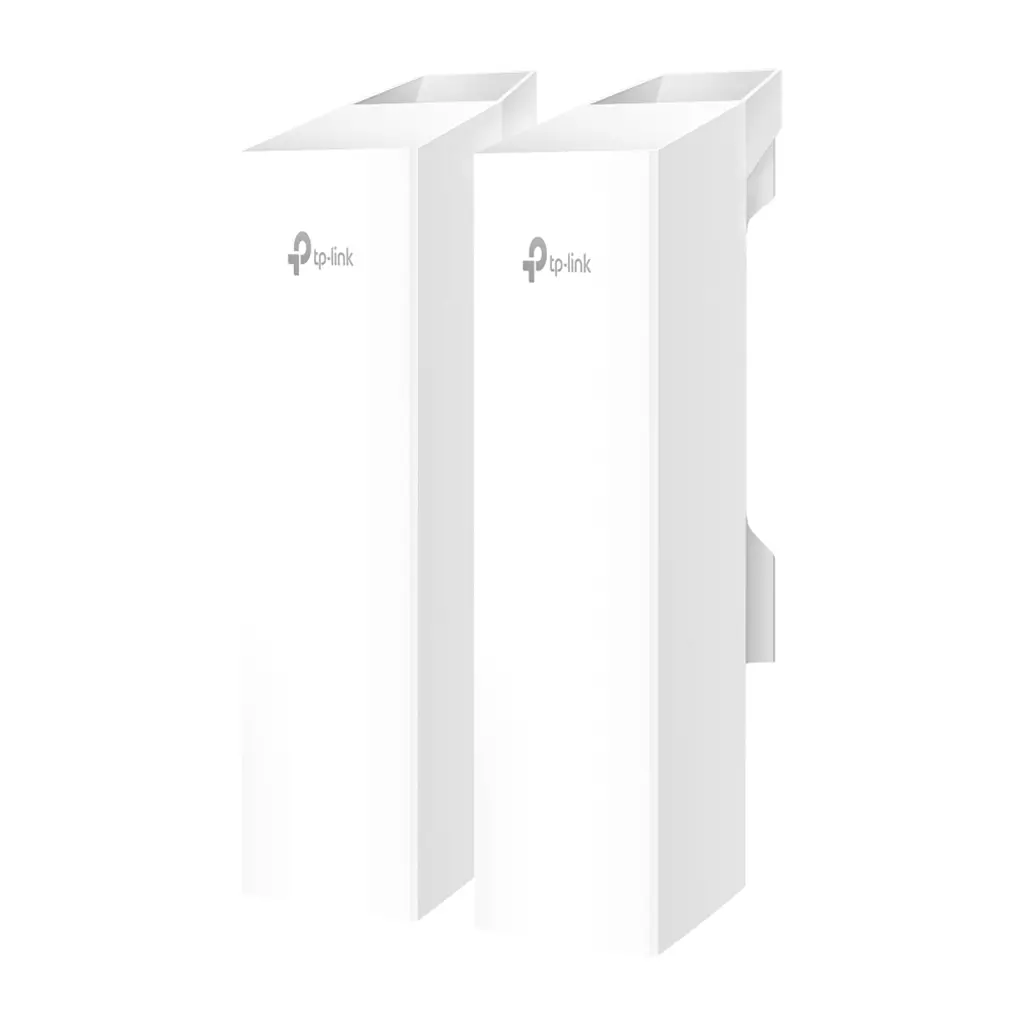
TP-Link Omada 5GHz 867Mbps Long-Range Indoor/Outdoor Wireless Bridge Network bridge 867 Mbit/s Wi-Fi Ethernet LAN White
Tp-linkEUR 192.95 Er is één aanbieding voor dit product.
<h3> <br /> </h3> <h3> <span style="color:#0066cc;"><em><strong>Omada Wireless Bridge 5 GHz 867 Mbps Long-Range Indoor/Outdoor Access Point</strong></em></span></h3> <ul> <li> 802.11ac for up to 867 Mbps on the 5 GHz wireless data rate.</li> <li> Ideal for long-range wireless transmission up to 5 km.</li> <li> Auto-pairing and agile LEDs for efficient deployment.</li> <li> 3x Gigabit Ethernet ports for more high-speed IP camera connections.</li> <li> Supports Omada SDN for remote and centralized management.</li> <li> IP65 weatherproof enclosure and 6kV lightning protection ensure all-weather suitability.</li> <li> Supports Passive PoE for flexible deployment (adapter included).</li> </ul> <div> </div> <div> <br /> </div> <div> </div> <div> </div> <div> <span style="font-size:16px;">Omada Professional Outdoor Wireless Bridge Solution</span></div> <div> </div> <div> <div> <strong>Up to 3.1mi (5km) Distance</strong></div> <div> Ideal for setting up networks in remote locations.</div> <div> </div> <div> <strong>Up to 70° Beamwidth for Wider Deployment</strong></div> <div> One central AP covers more distributed APs and cameras eliminating the need for multiple central APs.</div> <div> </div> <div> <strong>Three Ports for More Devices</strong></div> <div> Connect more cameras and devices without an extra switch.</div> <div> </div> <div> <strong>IP65 Weatherproof for Outdoor Use</strong></div> <div> Durable performance with IP65 rating and operating range of -40°F to 158°F (-40°C to 70°C).</div> <div> </div> <div> <strong>Standalone or Omada SDN Mode</strong></div> <div> Flexible dual modes for batch deployment and remote management via the Omada app or Web UI.<br /> <br /> <br /> <br /> <br /> <br /> <br /> <div> <span style="font-size:16px;">Outdoor PtP (Point-to-Point) Wi-Fi Connection</span></div> <div> </div> <div> <strong>Extend Wi-Fi to Additional Buildings</strong></div> <div> Extend your home network or Wi-Fi to your shop barn garage farm storehouse guesthouse or RV.</div> <div> </div> <div> <strong>Extend Wi-Fi to Additional Offices</strong></div> <div> Provide 550Mbps bandwidth within a 328ft (100m) range using the EAP215-Bridge KIT or EAP211-Bridge KIT.</div> <div> </div> <div> <strong>Elevator PtP Wi-Fi for Surveillance</strong></div> <div> Record real-time video to an NVR with virtually no hardwiring required<br /> <br /> <br /> <br /> <br /> <br /> <br /> <div> <span style="font-size:16px;">Outdoor PtMP (Point-to-Multipoint) Wi-Fi for Surveillance</span></div> <div> </div> <div> <strong>Parking Lots</strong></div> <div> Remotely connect cameras to reduce crime and accidents</div> <div> </div> <div> <strong>Farms / Orchards</strong></div> <div> Remotely connect cameras to protect your property</div> <div> </div> <div> <strong>Construction Sites</strong></div> <div> Rapidly deploy wireless networks to remotely monitor construction progress in real time or manage logistics.<br /> <br /> <br /> <br /> <br /> <br /> <br /> <span style="font-size:16px;">Easy Setup and Installation</span></div> <div> </div> <div> <div> <strong>Auto-Pairing to Reduce Setup Time</strong></div> <div> *Auto pairing works for the original kit. Three or more bridges require manual setup.</div> <div> </div> <div> <strong>Signal Strength LEDs</strong></div> <div> LED Signal Indicator for Easy Alignment</div> <div> </div> <div> <strong>Pole/Wall Mount for Easy Installation</strong></div> <div> *Pole mounting accessories are included while the bracket for wall mounting and pole mounting requires purchase separately.<br /> <br /> <br /> <br /> <br /> <br /> <br /> <div> <span style="font-size:16px;">Standalone Mode</span></div> <div> <br /> <strong>Simple Setup for Individual Scenarios</strong></div> <div> 1. Power on both bridges and connect one to the network via cable to make it the main bridge.</div> <div> 2. Set up the main bridge using the Omada App or Web UI then configure the sub-bridge step by step.</div> <div> 3. Deploy the sub-bridge at the remote location align it using the signal LED and optimize with the app if needed.</div> <div> </div> <div> </div> <div> </div> <div> </div> <div> <br /> </div> <div> <div> <span style="font-size:16px;">Works with Omada SDN</span></div> <div> <br /> <strong>Faster Batch Deployment and Remote Management</strong></div> <div> Omada bridges integrate with Omada SDN for centralized management and remote access enabling faster batch deployment of multiple bridge pairs using batch provisioning.<br /> <br /> <br /> <br /> <br /> <br /> <br /> <div> <span style="font-size:16px;">Designed for Outdoors</span></div> <ul> <li> IP65 Weatherproof</li> <li> 6kV Lightning Protection-40 °F-158 °F Working Range</li> <li> Wind Resistance</li> </ul> <div> <br /> <br /> <br /> </div> </div> </div> </div> </div> </div> </div> </div> <p> </p>